Break focus at the right moment.
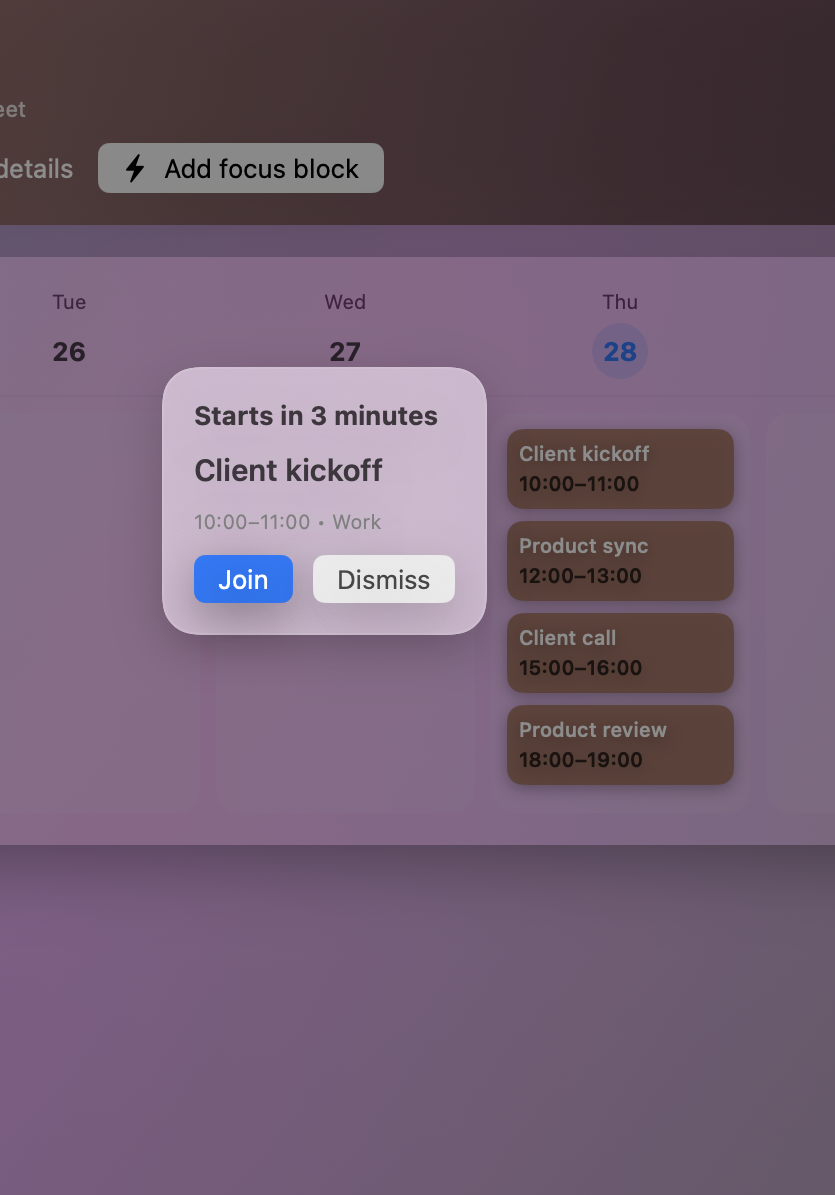
A heads-up can surface the meeting before it starts, giving you time to save work and switch context instead of joining late and disoriented.
Meeting reminder app for Mac
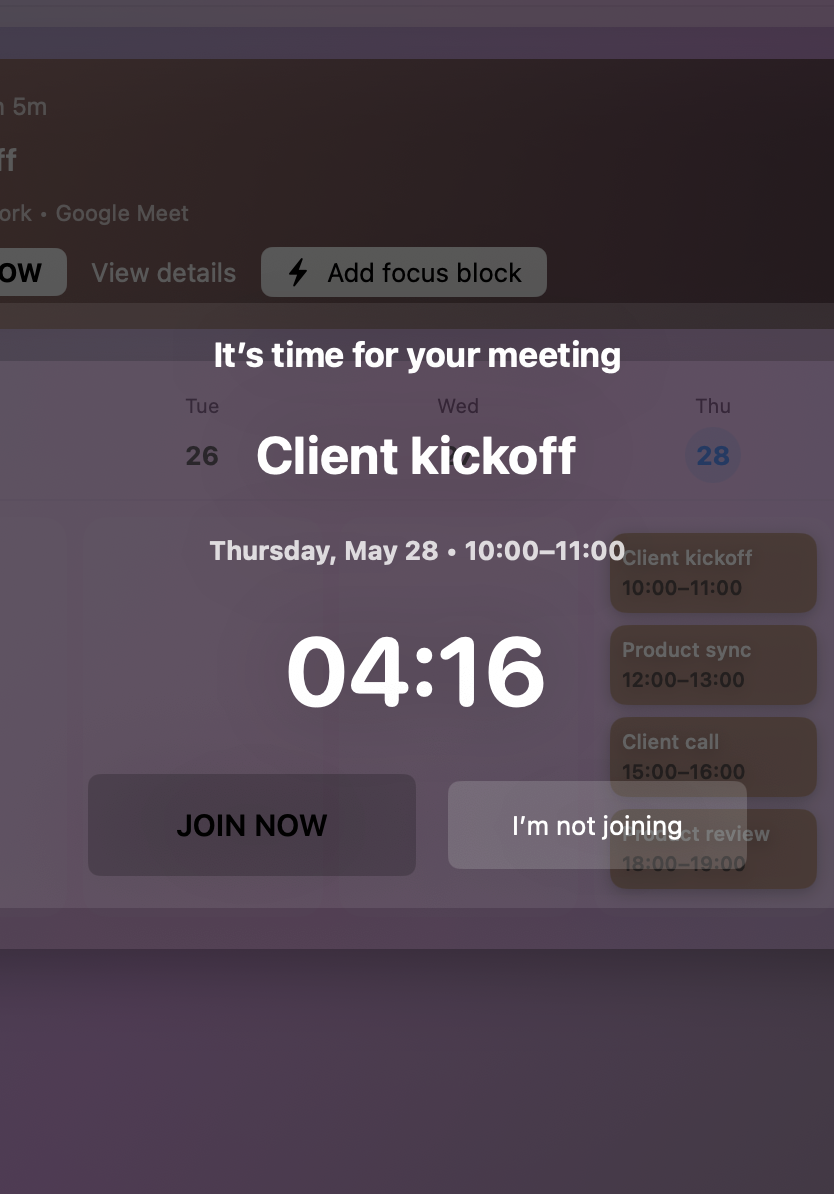
Start with a heads-up, snooze when you need a few more minutes, and reserve Hard Alert for the calls that must break through.
Standard reminders are free. Stronger reminder controls are available with Pro.
Why reminders get missed
Meety adds choices around timing, intensity, and action so a reminder can match the consequence of missing the meeting.
Built for real workdays
A heads-up can surface the meeting before it starts, giving you time to save work and switch context instead of joining late and disoriented.
Keep the next meeting visible and its join link close, reducing the scramble between consecutive calls.
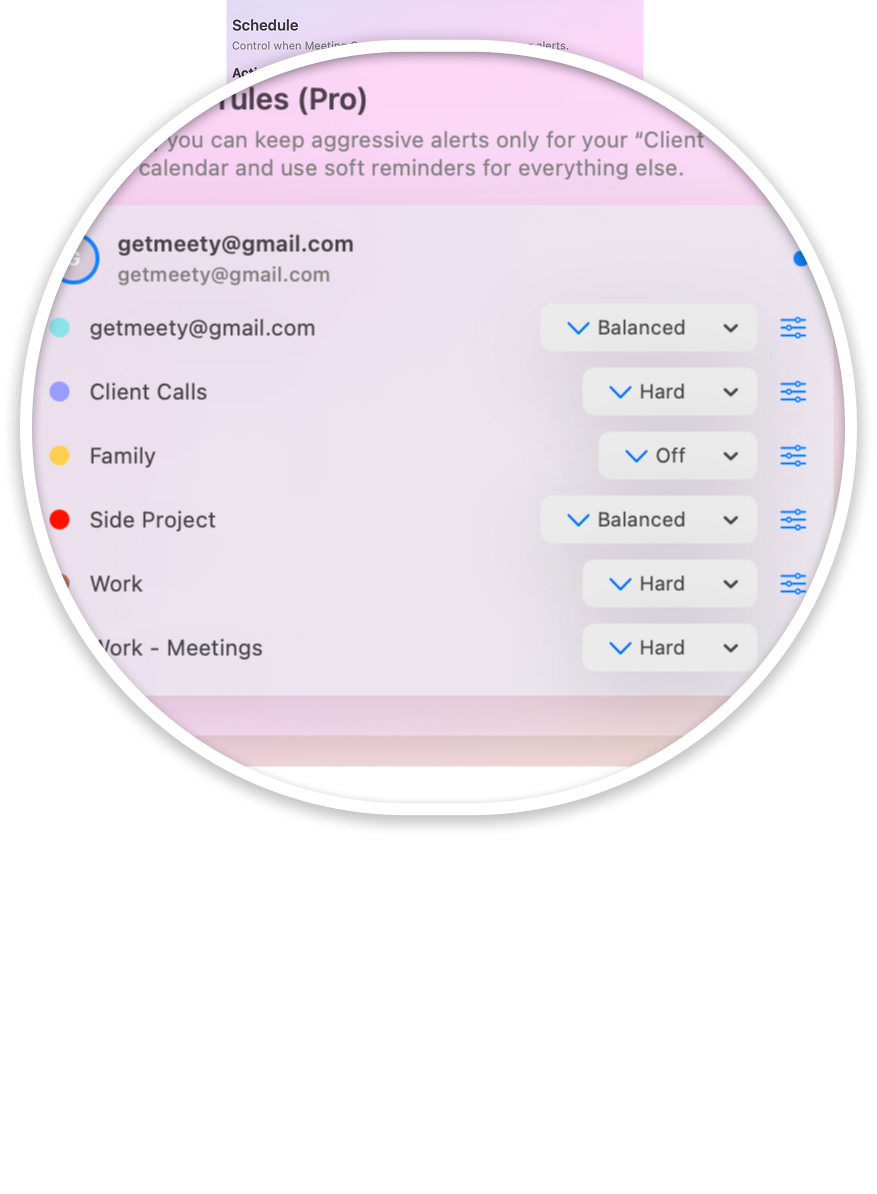
Use per-calendar intensity so client work can alert more strongly than routine internal or personal events.
A deliberate reminder ladder
A good reminder system does not make every event loud. Meety lets you choose a lighter heads-up for ordinary calls, use snooze when timing shifts, and save Hard Alert for meetings where a missed start matters.
Free and Pro
Menu bar calendar, upcoming meetings, Meet/Zoom/Teams quick join support, and standard reminders.
Hard Alert, advanced alert intensity, per-calendar rules, and more powerful reminder profiles.
FAQ
A standard notification is a short, general-purpose banner. Meety adds meeting-focused options such as a heads-up reminder, snooze, Hard Alert, and different intensity by calendar.
Yes. Snooze gives you a deliberate way to delay the reminder when you need a few more minutes before joining.
Yes. Per-calendar intensity lets you use stronger behavior for calendars such as client calls while keeping personal or lower-priority calendars quieter.
Meety Pro includes Hard Alert, advanced alert intensity, per-calendar rules, and stronger reminder profiles. The Free plan includes standard reminders.
Meety is designed for both. Heads-up reminders can interrupt a focused work session before a call, while next-meeting visibility and quick join reduce friction between back-to-back meetings.
Keep everyday reminders calm and make selected meetings harder to miss.