See it at a glance
Keep the next Google Calendar event and countdown in the Mac menu bar while you work in another app.
Google Calendar meeting reminders for Mac

Keep your next call in the menu bar, join in one click, and get stronger reminders with Meety Pro when ordinary notifications aren’t enough.
Built around the next meeting
See what is next, reach the call, and choose how strongly each calendar should interrupt you with Meety Pro.
Keep the next Google Calendar event and countdown in the Mac menu bar while you work in another app.
Open Google Meet, Zoom, or Microsoft Teams when the link is included in the calendar event.
Use standard reminders for routine events and a stronger signal with Meety Pro for calendars where the start time matters more.
How it works
Connect your Google account, choose the calendars you want in Meety, and keep the next meeting close from the menu bar to the join button.
Connect. Sign in with Google and choose the calendars you want to use.
See. Keep the next meeting, join link, and reminder state close in the menu bar.
Act. Open the call or choose a stronger reminder with Meety Pro without digging through event details.
From glance to join
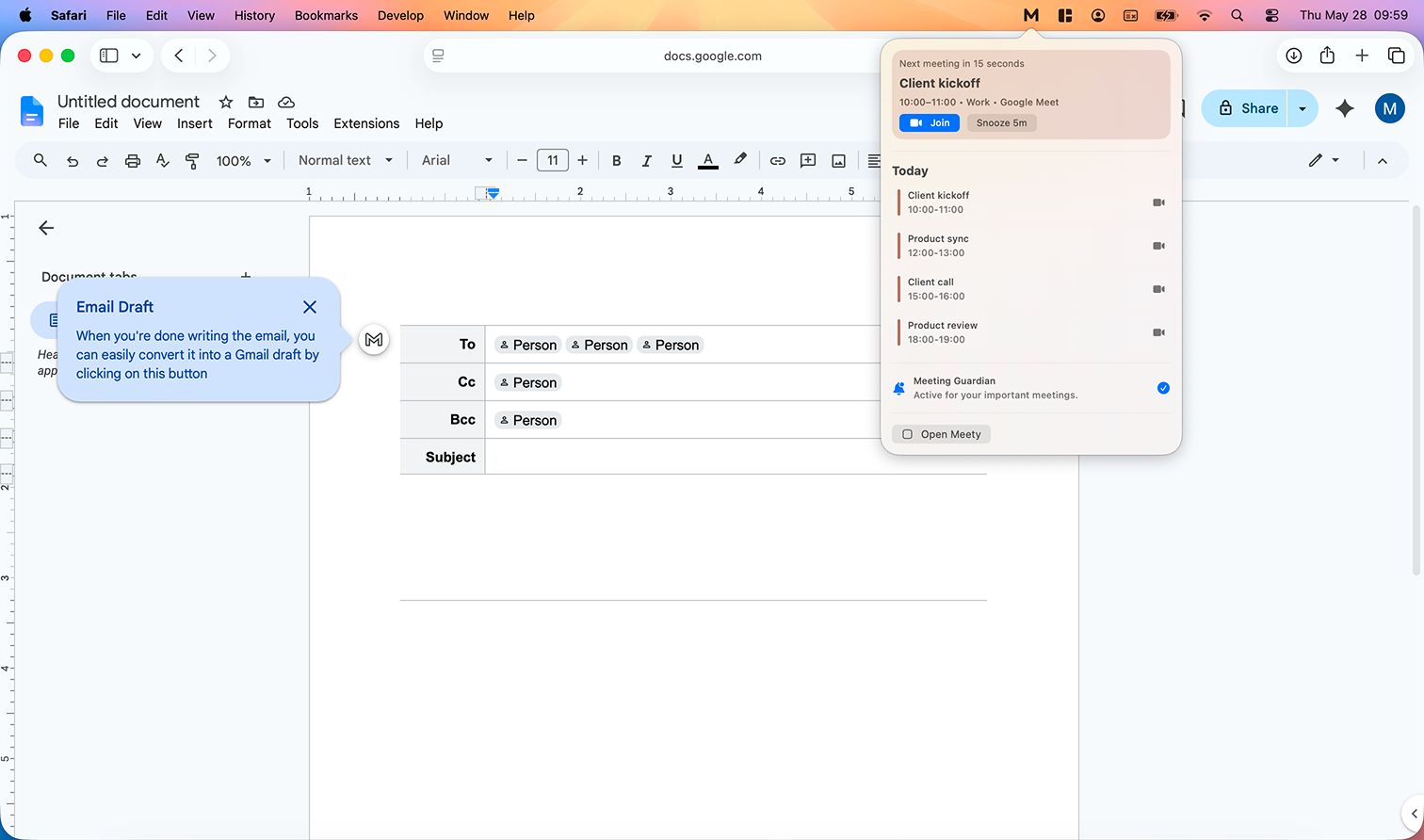
Meety keeps visibility, join actions, and reminder controls in one Mac workflow.
See what is next without opening a full calendar app. Meety keeps your day visible from the macOS menu bar.
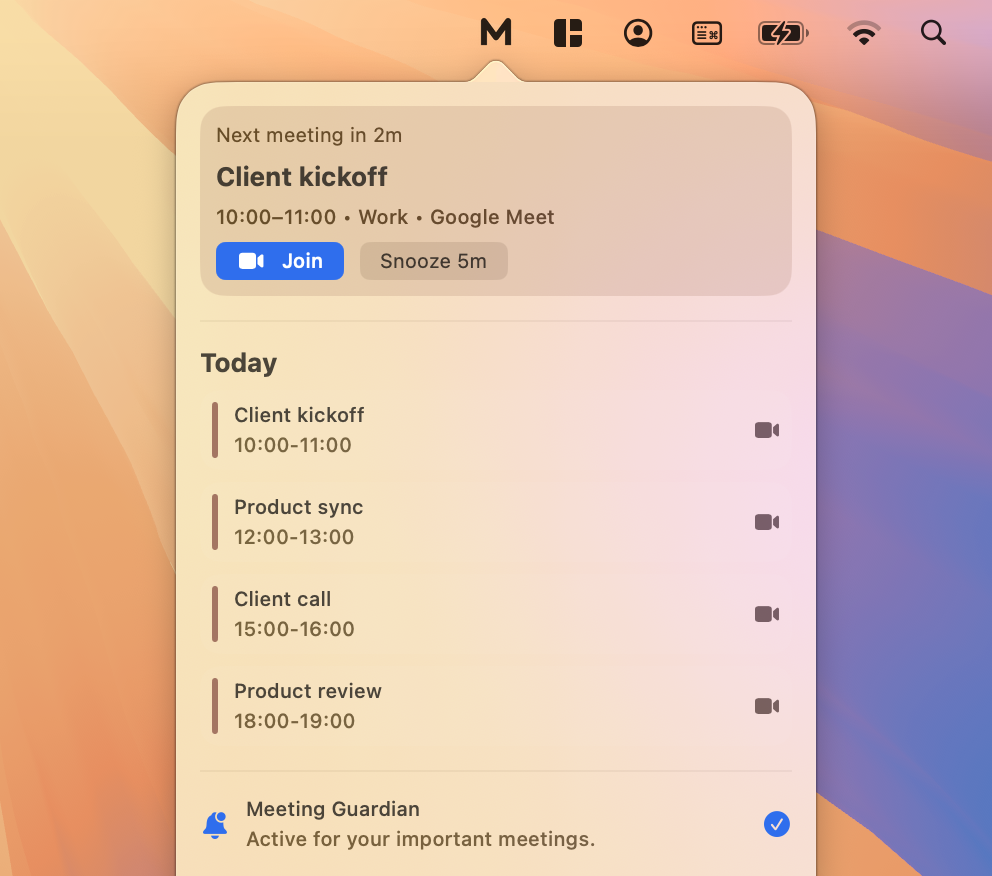
Meeting links are surfaced where you need them, so joining stops being a hunt through event notes.
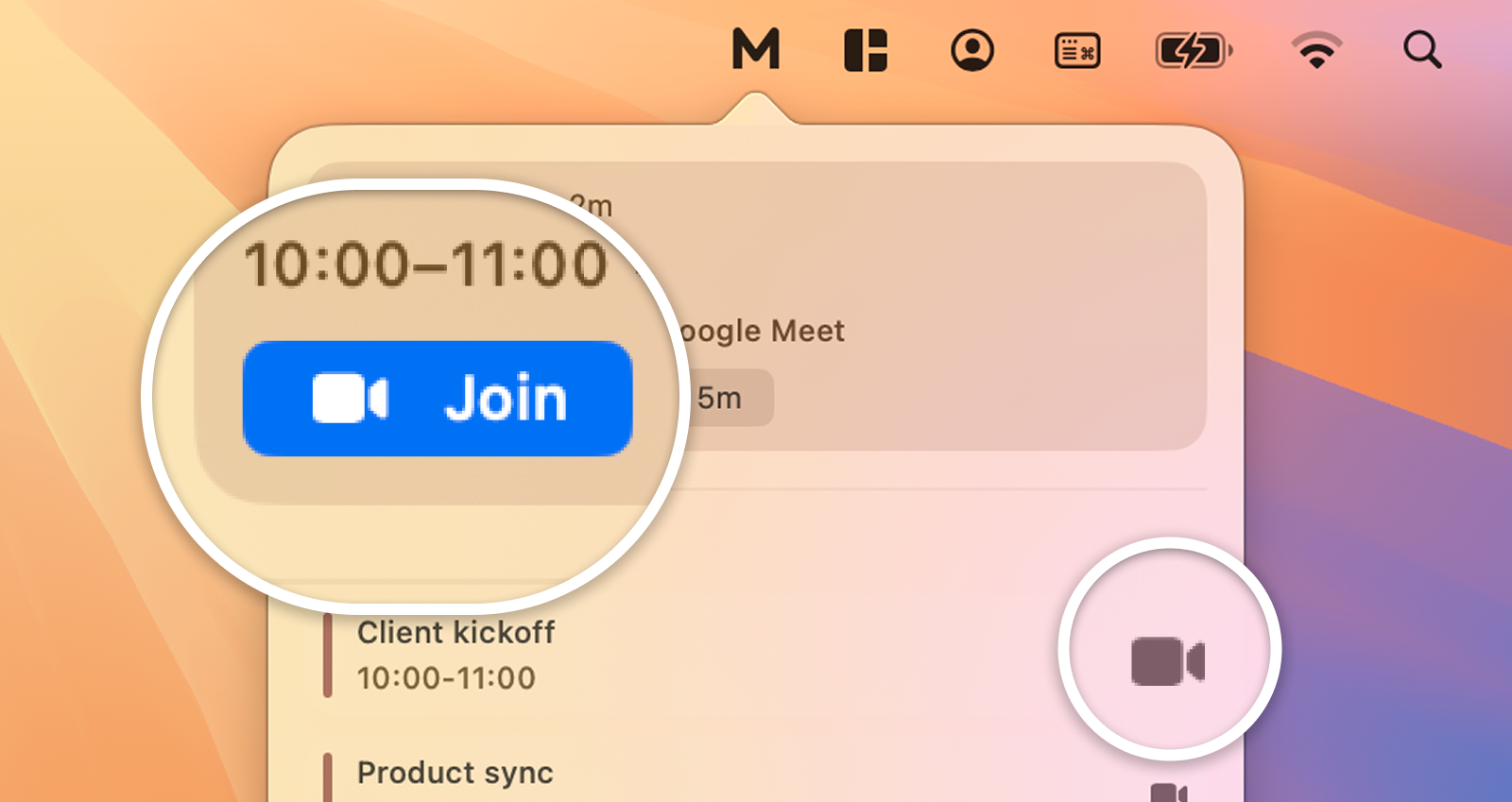
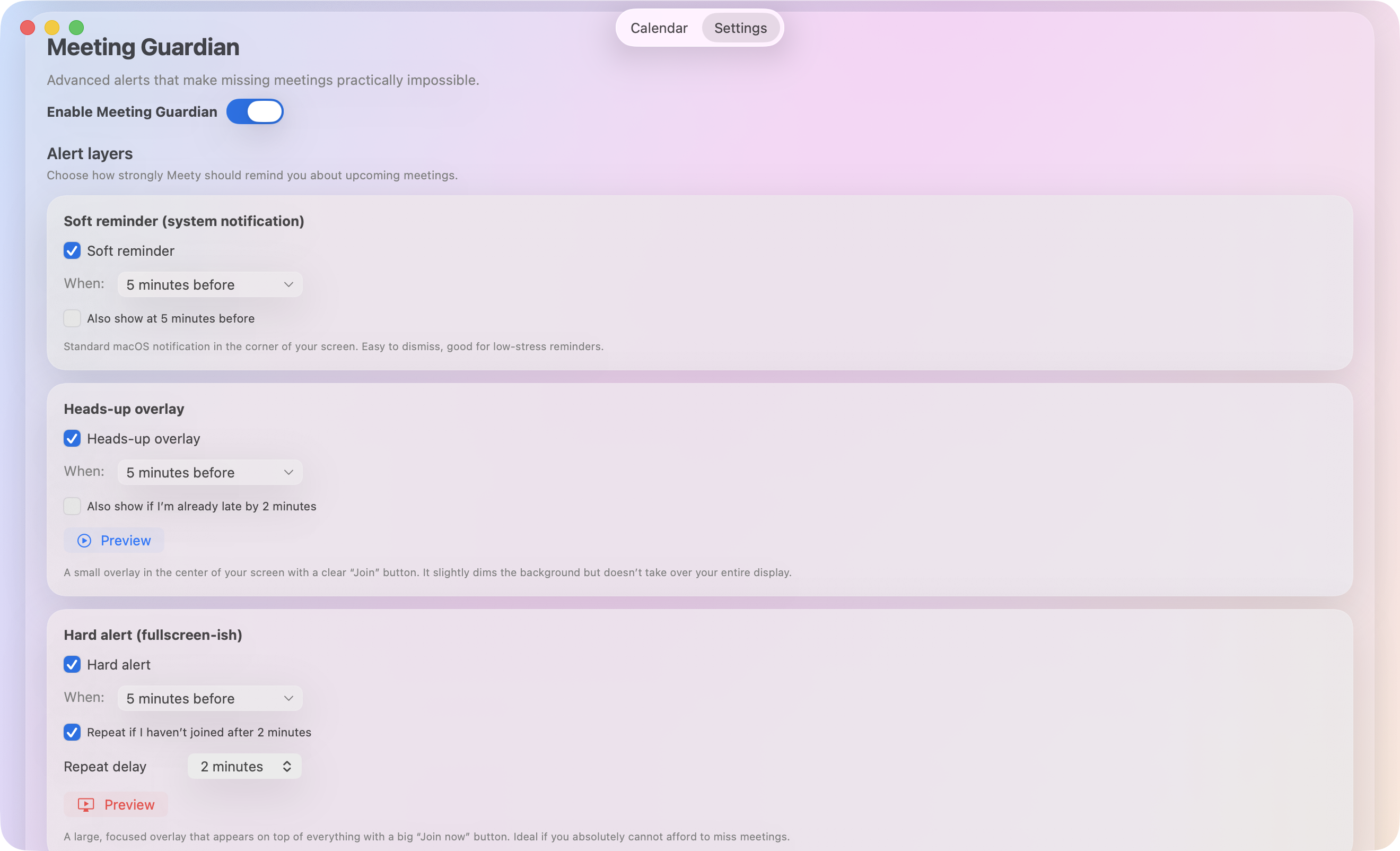
Use gentle nudges for routine events and stronger reminders with Meety Pro for calendars where a missed start has a higher cost.
Escalate important meetings with a full-screen alert when a quiet banner is not enough.
Tune alert behavior for different calendars instead of living with one global setting.
Menu bar workflows for macOS 15.6 or later, available through the Mac App Store.
Upcoming calls, join actions, and alert state are prioritized over generic calendar clutter.
See Meety in action
Inspect heads-up reminders, upcoming calls, alert settings, Hard Alert (Meety Pro), and the calendar view before you install.
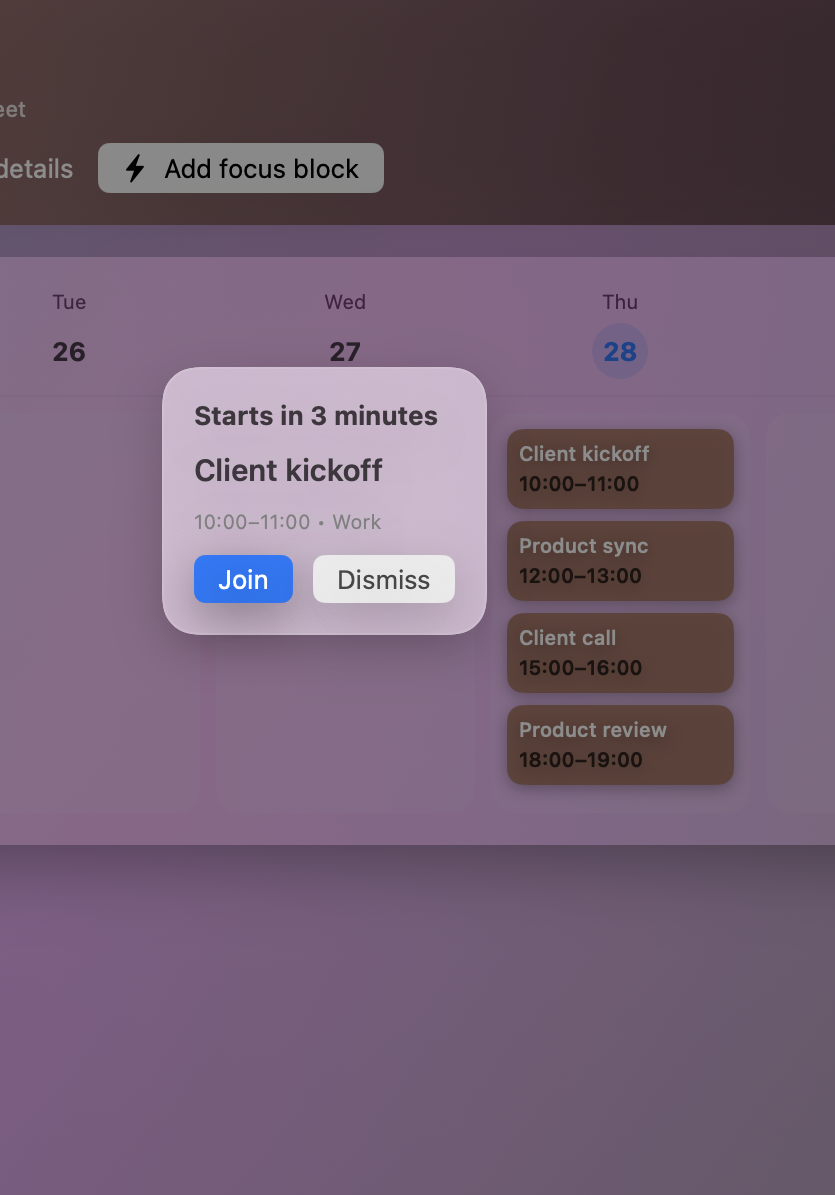
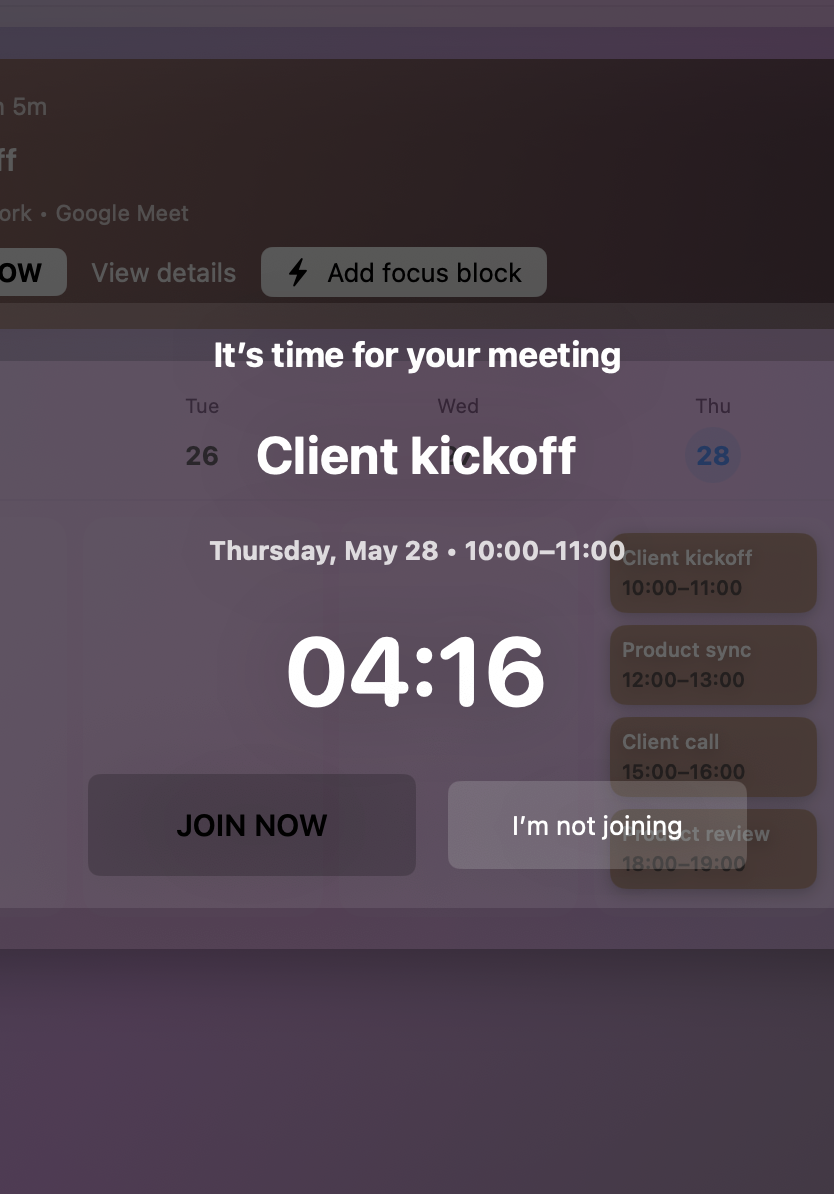
A focused alert layer for meetings that need more than a banner, without taking over the screen.
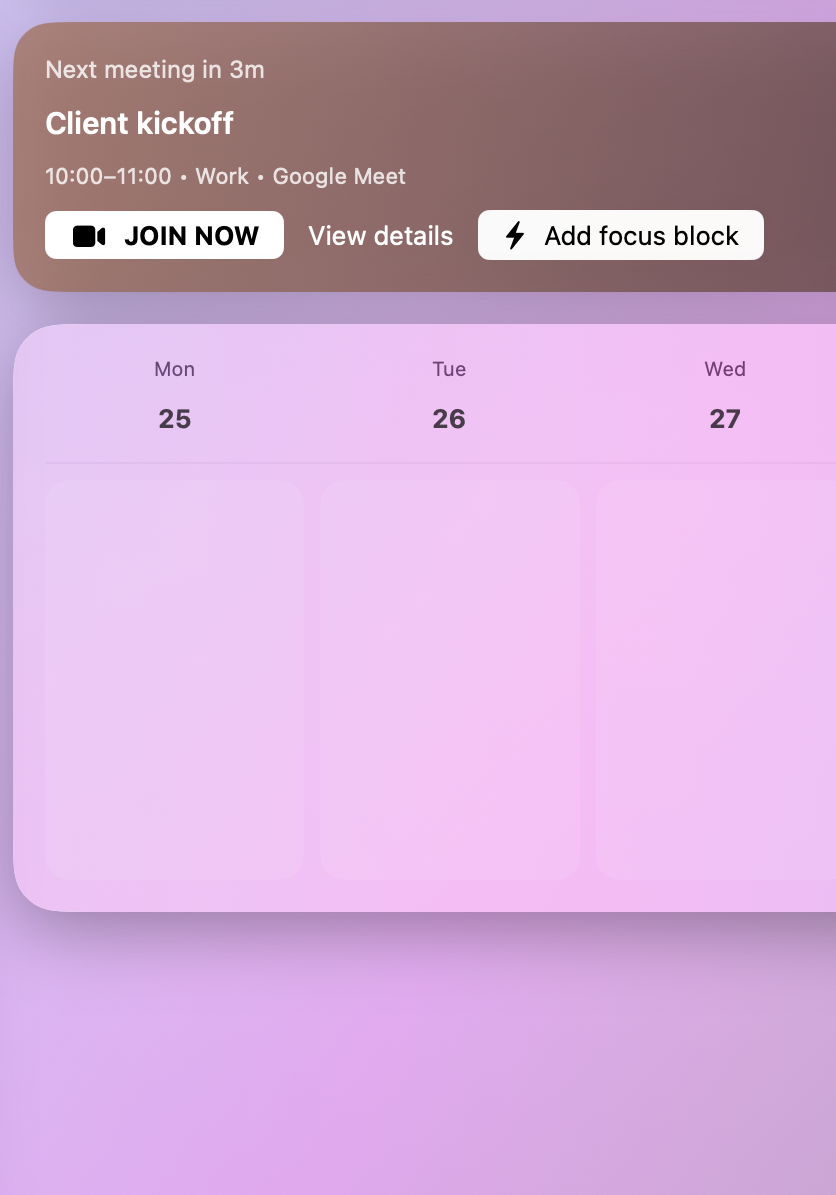
Know what starts next and how much time you have left.
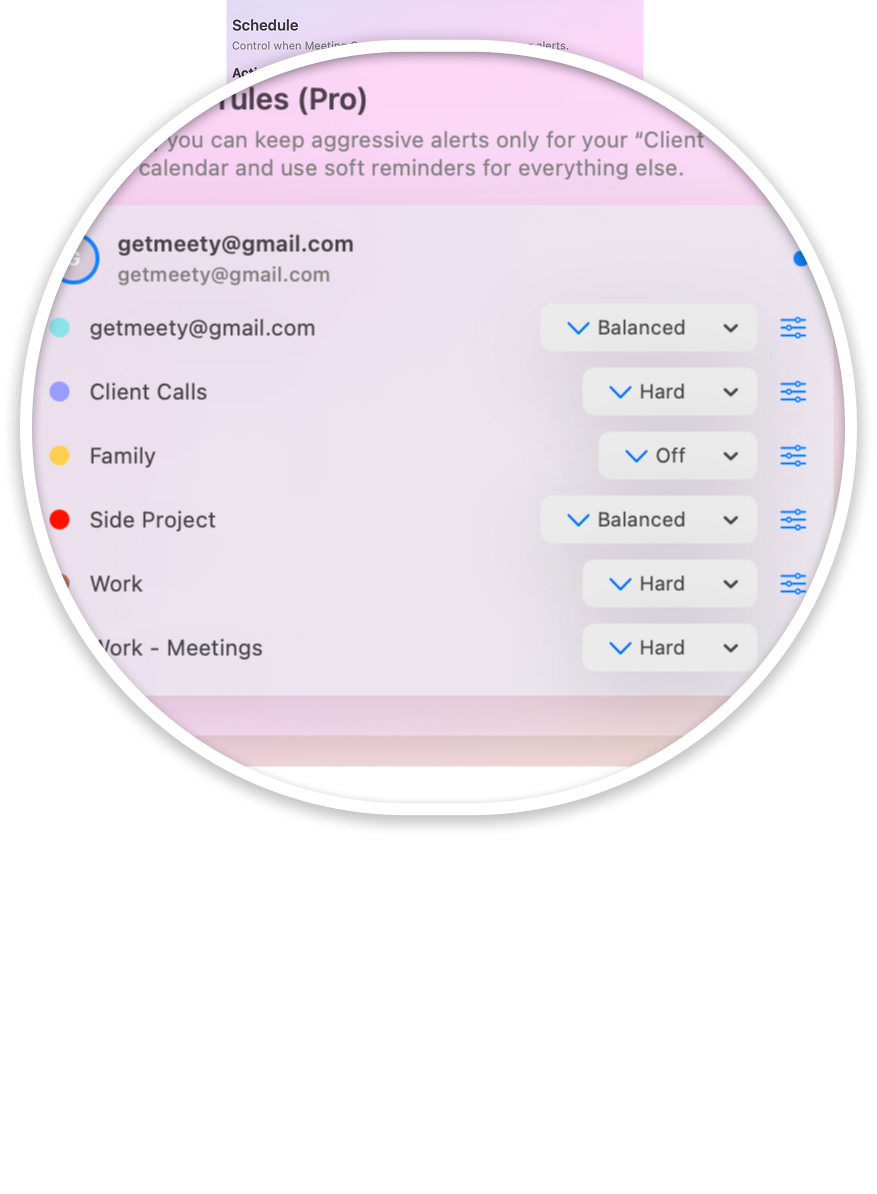
Set reminder strength by calendar and meeting importance with Meety Pro.
Use an unmistakable alert for meetings you cannot miss.
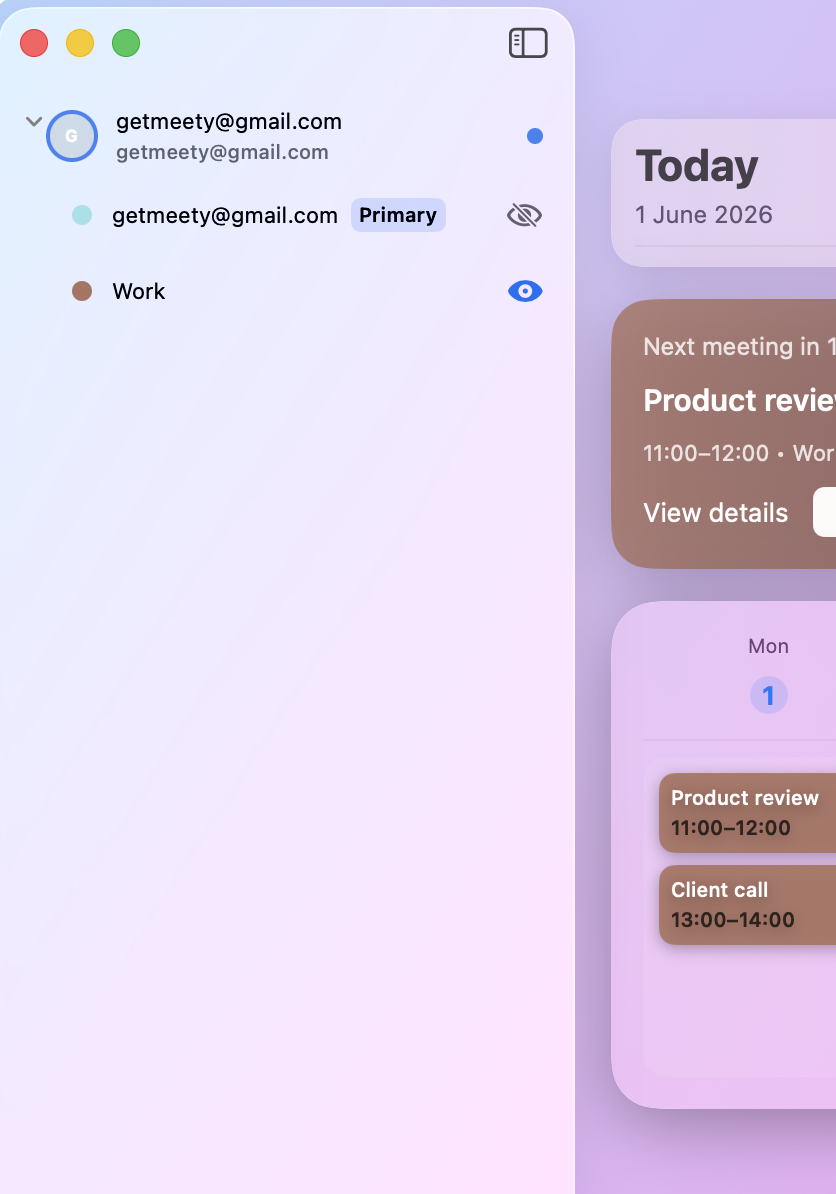
Review your day and week from a calendar view that stays current with your Google Calendar.
Free and Pro
Free covers the everyday meeting workflow. Pro adds Hard Alert and per-calendar reminder intensity.
For seeing and joining upcoming meetings from the Mac menu bar.
For meeting-heavy days where normal alerts are too easy to miss.
View Meety Pro in the App StorePurchases and cancellations are handled by Apple. Prices shown are current U.S. App Store prices and may vary by storefront.
Before you download
Yes. Meety uses Google sign-in and the calendars you connect to show upcoming meetings, reminders, join links, and menu bar views on your Mac.
Meety is designed to surface meeting links for Google Meet, Zoom, and Microsoft Teams when those links are present in your calendar events.
Meety uses Google sign-in to connect your account. Read the Privacy Policy for the current details about the calendar information Meety processes, the services involved, retention, and how to disconnect your account.
Free covers the core menu bar calendar, upcoming meetings, basic join support, and standard reminders. Pro adds hard alerts, advanced alert intensity, per-calendar rules, and stronger reminder profiles. Pro is available monthly for $3.99 or yearly for $29.99.
Meety requires macOS 15.6 or later. It is built around Mac menu bar workflows, meeting readiness, and stronger reminder controls.
Meety Pro purchases and subscriptions are handled by Apple. You can manage or cancel a subscription in your Apple ID subscription settings.
Yes. Meety Pro lets you assign stronger reminder behavior to selected calendars while keeping routine or lower-priority calendars quieter.
See what is next, reach the join link, and choose the reminder that fits the meeting.